How to publish a new school
Publishing a school involves two phases: creating the school record, then filling in its details across four sections before clicking publish.
1. Open the Schools list
Section titled “1. Open the Schools list”Log in and go to /admin. The dashboard shows a summary of platform activity.
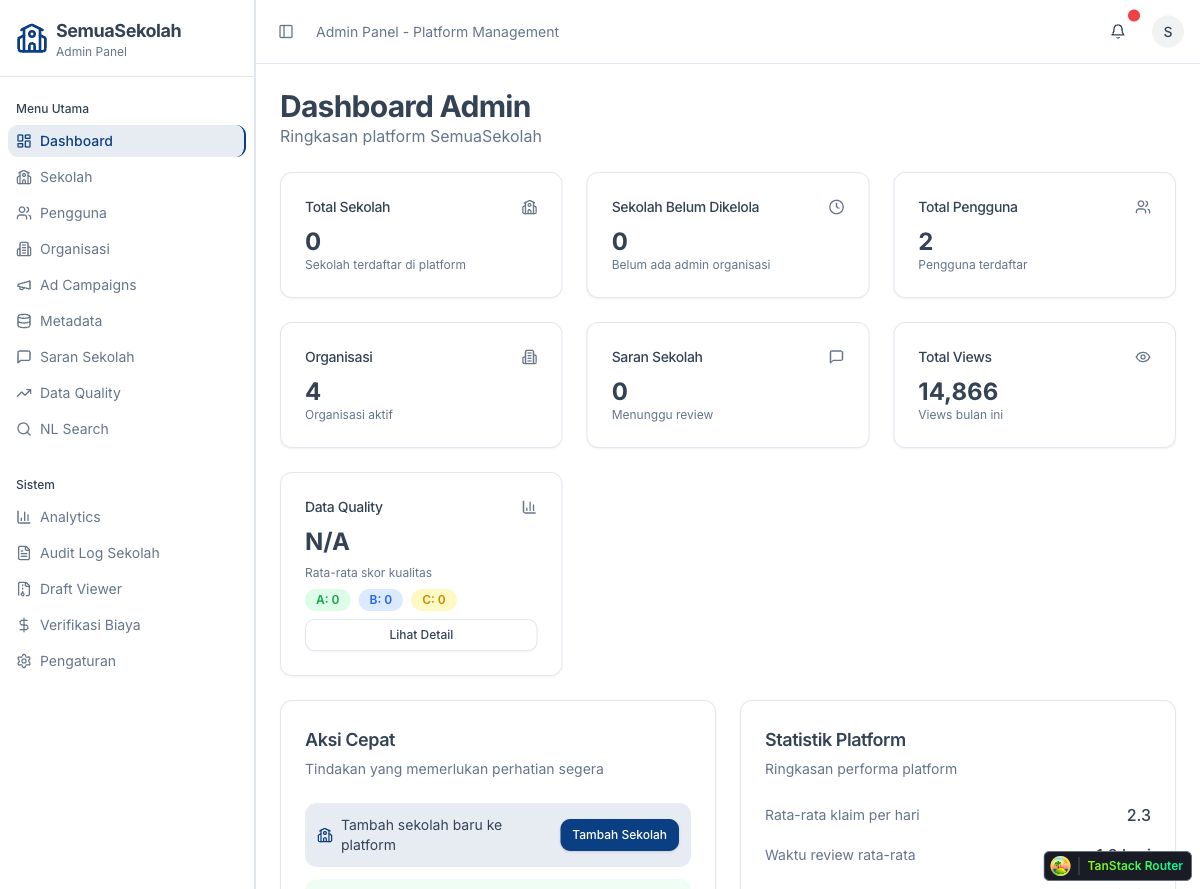
Click Sekolah in the left sidebar to open the Schools management page.
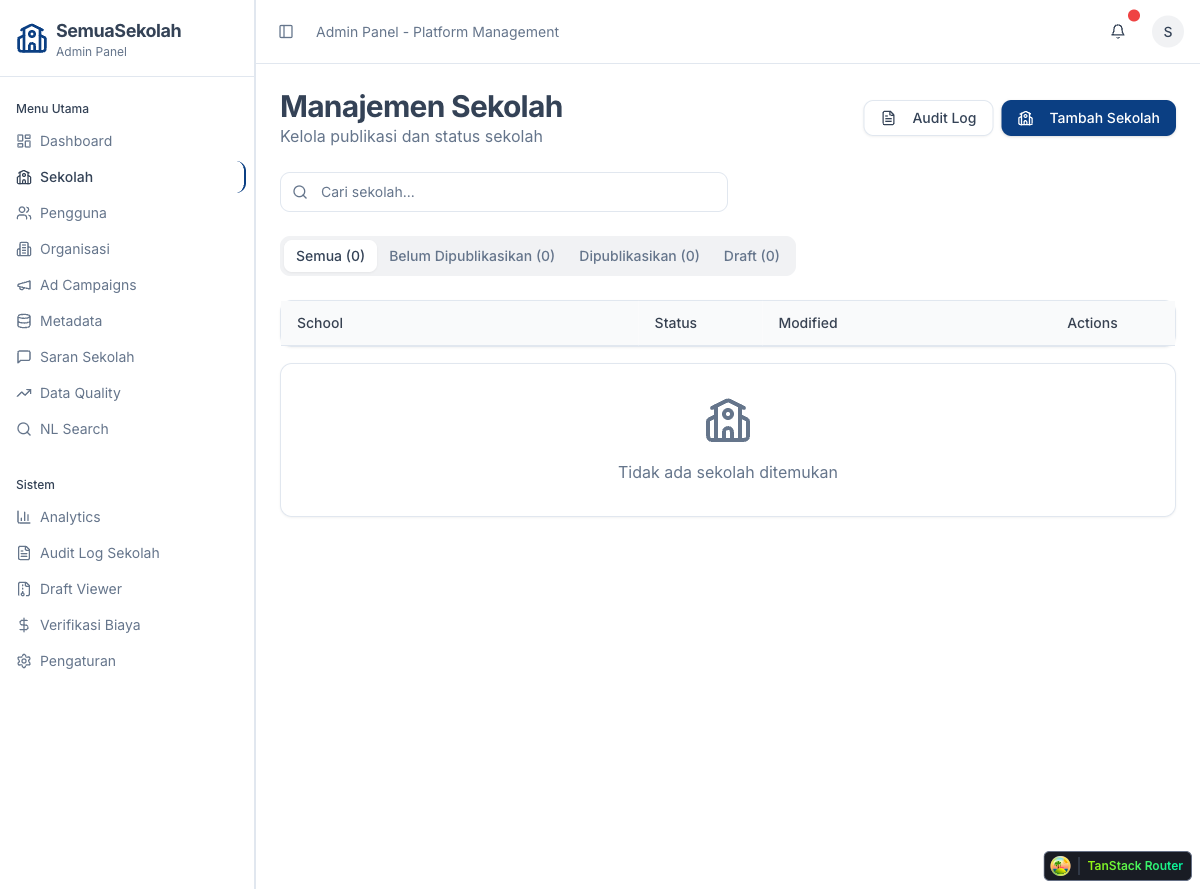
2. Create the school record
Section titled “2. Create the school record”Click Tambah Sekolah (Add School) in the top-right corner. A modal appears asking for the school name and which organization will manage it.
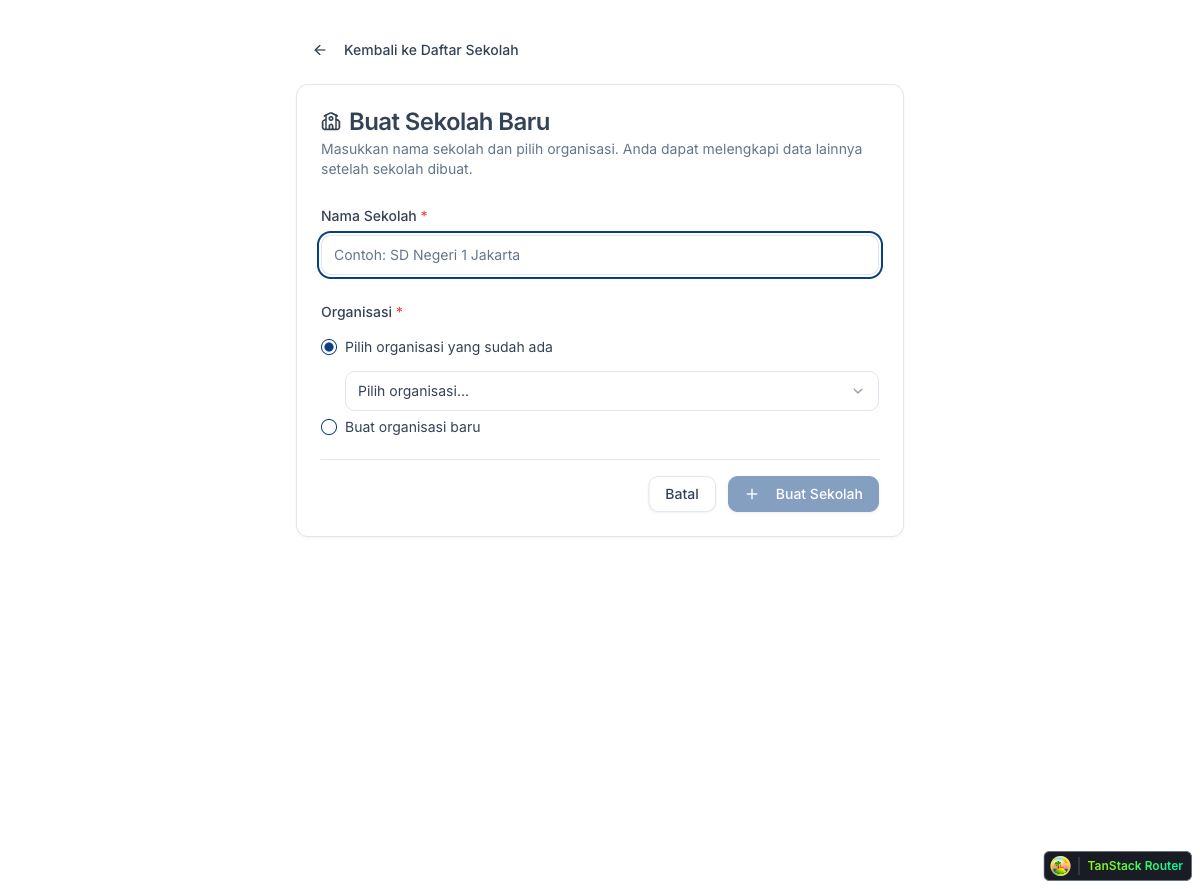
Enter the school’s full name and select an organization from the dropdown. If no organization exists yet, create one first via the Organizations menu.
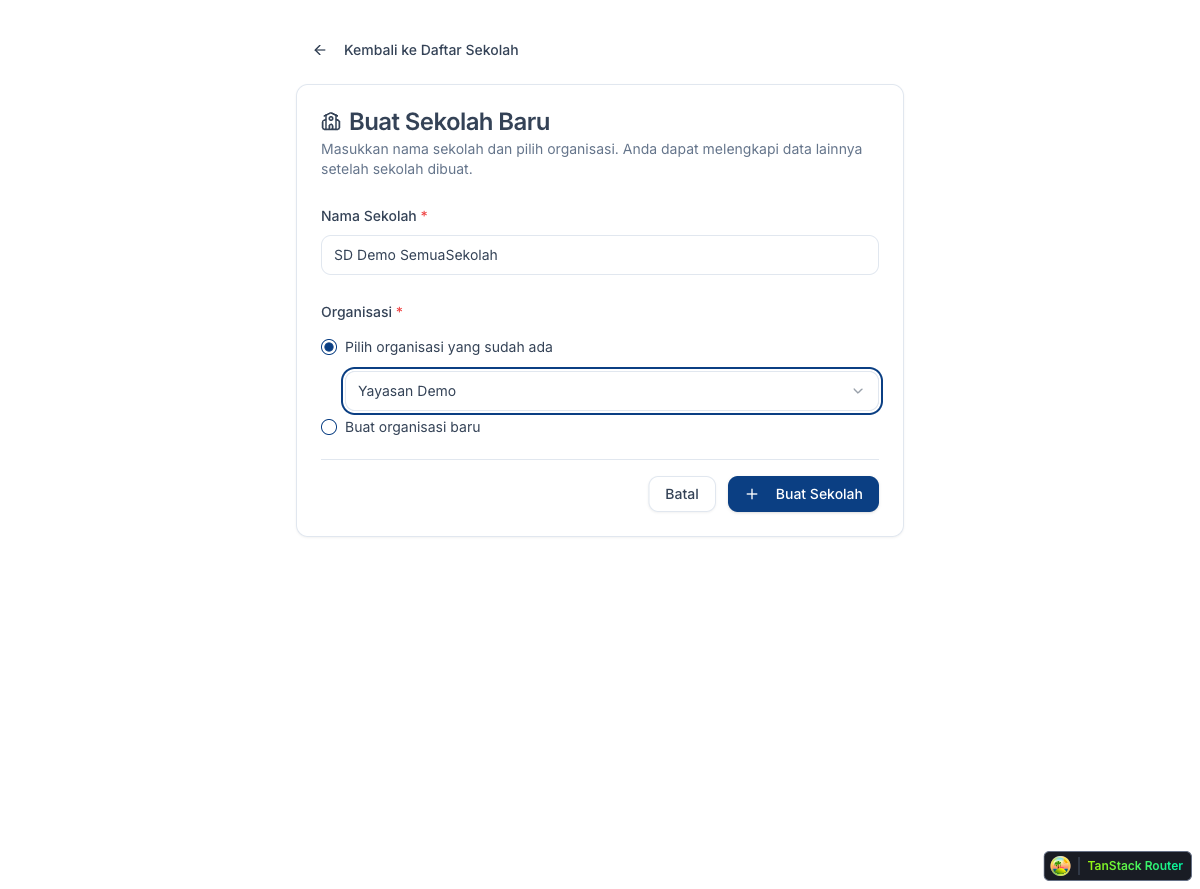
Click Buat Sekolah. The system creates the school record and opens the school editor.
3. Fill in basic info
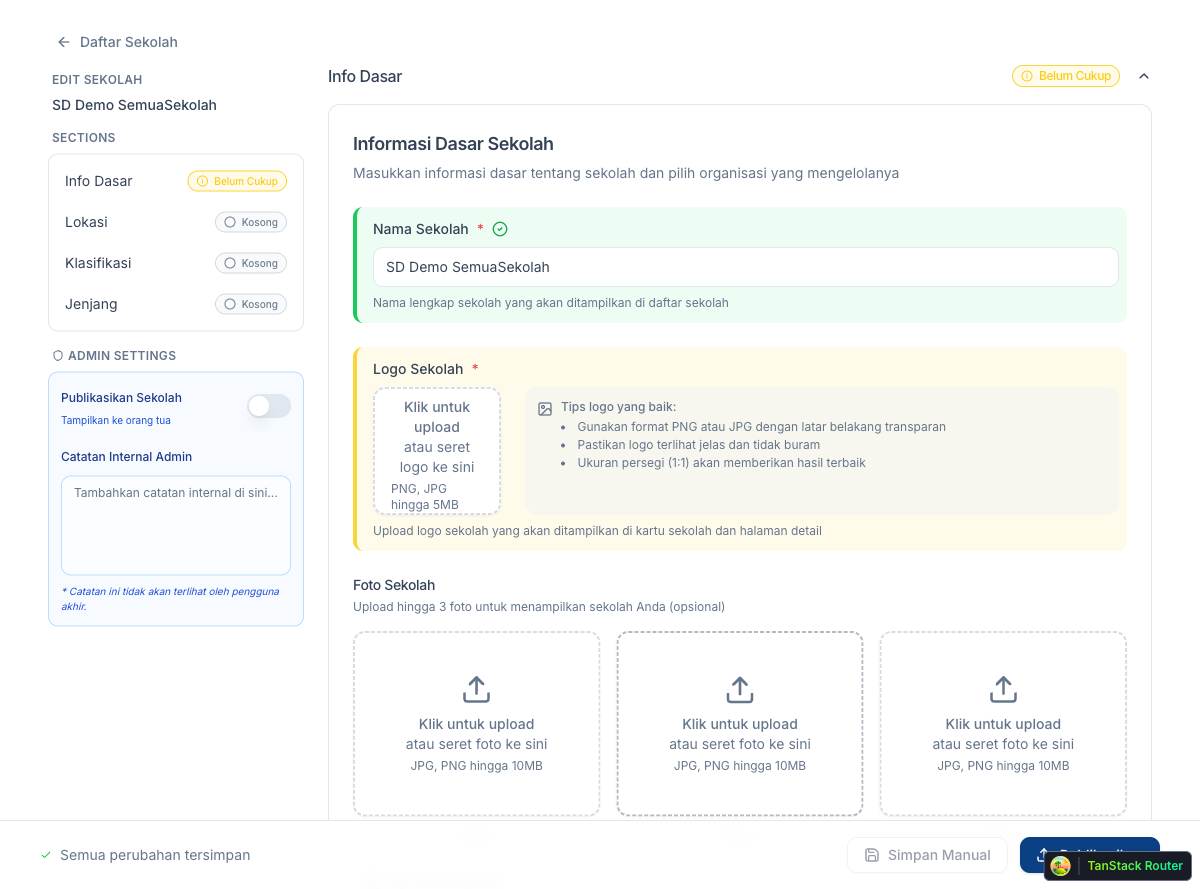
Section titled “3. Fill in basic info”The editor opens on the Info Dasar (Basic Info) section. Complete all required fields:
- Nama Sekolah: the school’s full display name
- Logo Sekolah: upload a square PNG/JPG (up to 5 MB)
- Foto Sekolah: up to three photos of the school (optional)
- Deskripsi: a short description of the school’s vision and strengths (optional)
- Email, Telepon: contact details (optional)
- WhatsApp Admin: phone number in
628xxxxxxxxformat - Website: the school’s official URL
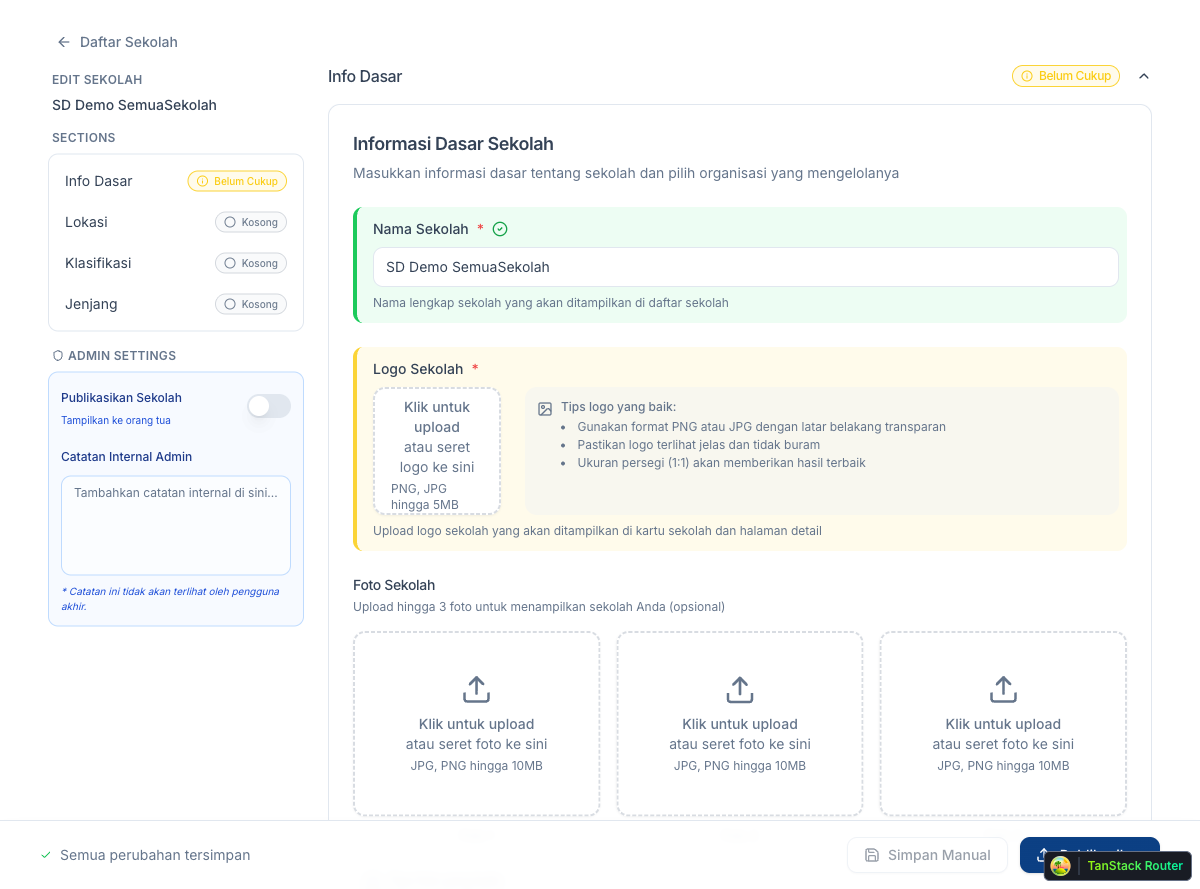
The section turns green once all required fields are filled.
4. Fill in Location
Section titled “4. Fill in Location”Click Lokasi in the left panel. Enter the school’s full address.
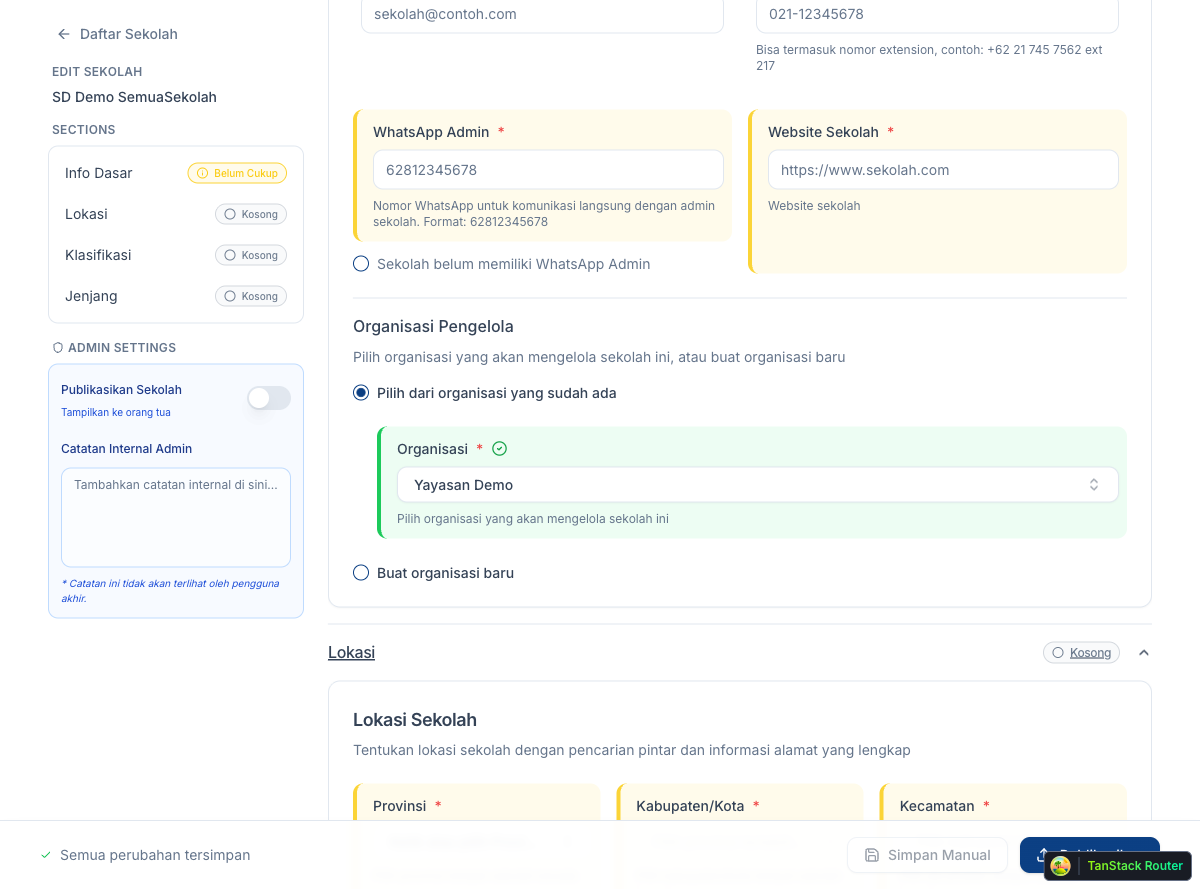
Fill in the province, city/district, and full street address.
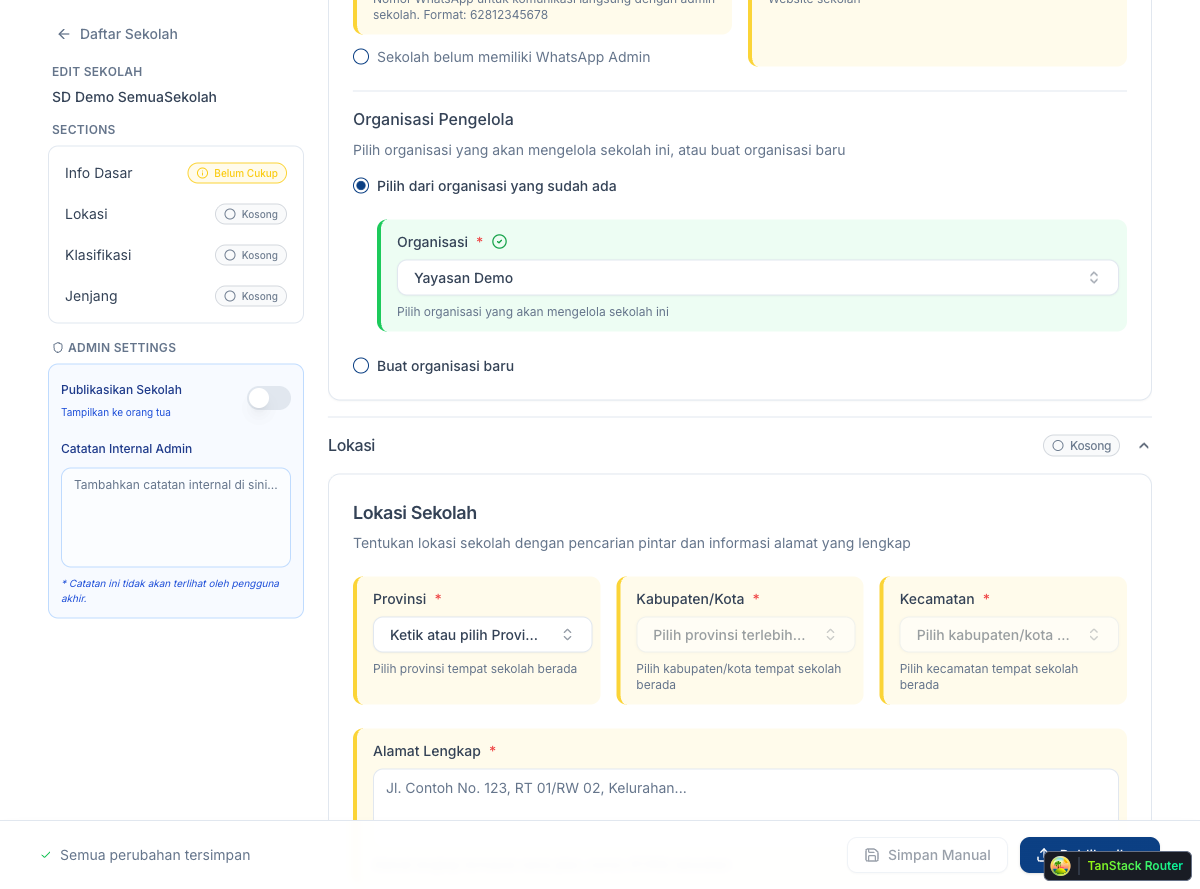
5. Fill in Classification
Section titled “5. Fill in Classification”Click Klasifikasi. Select the school’s category, affiliation, and ownership type.
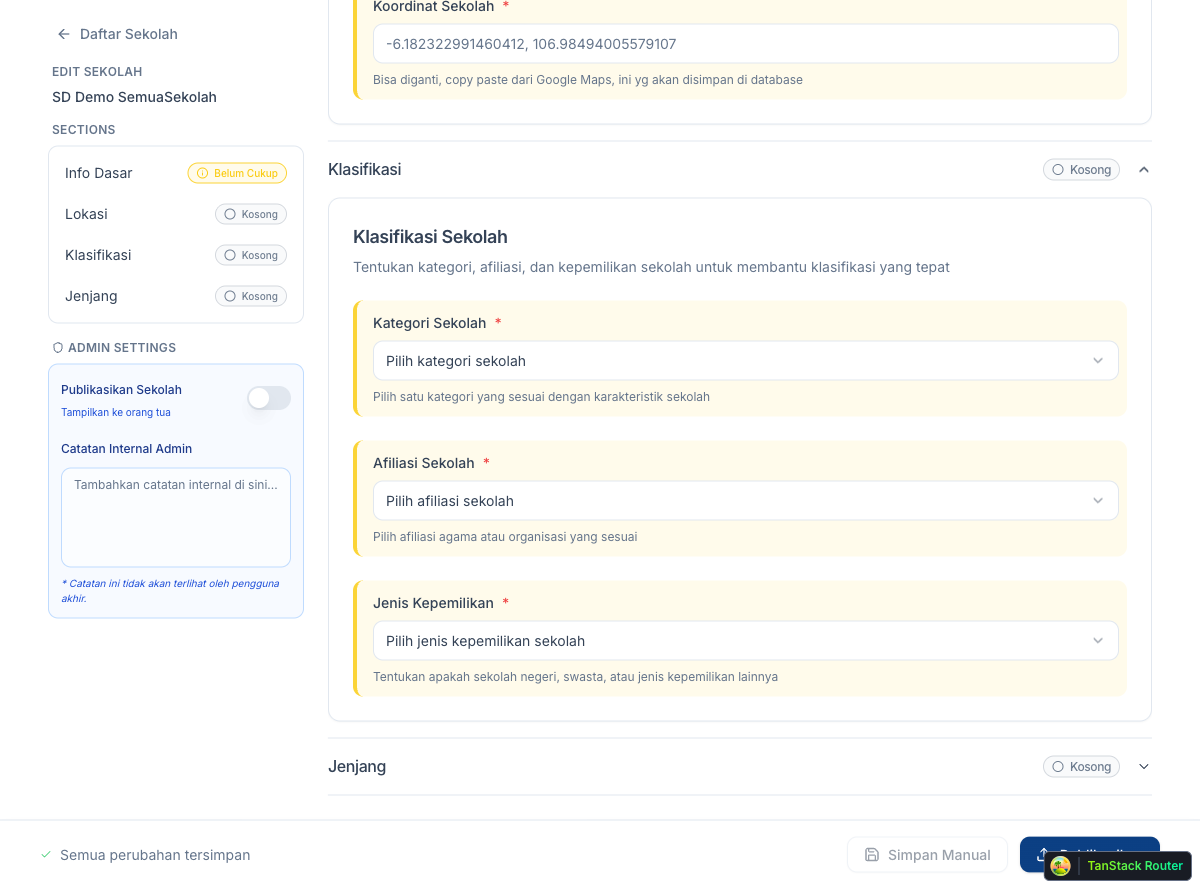
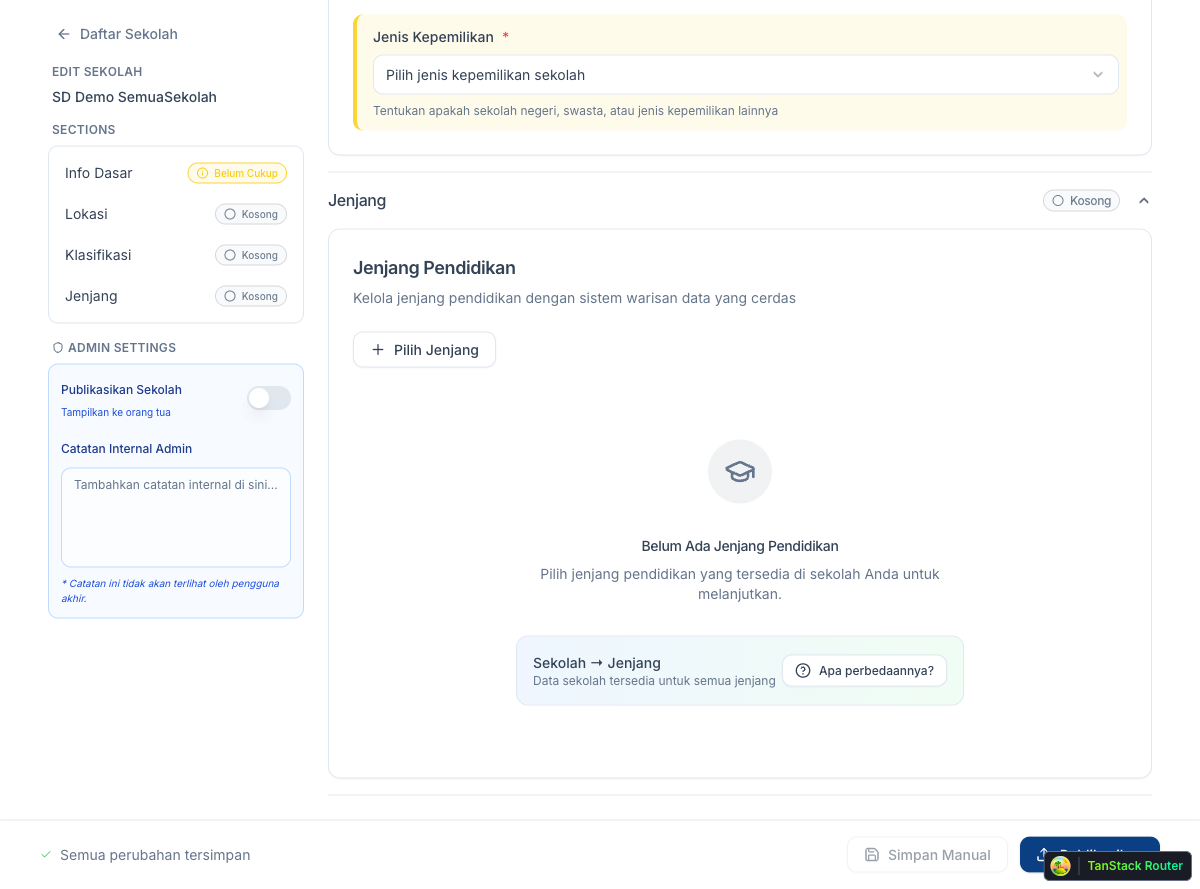
6. Fill in Jenjang
Section titled “6. Fill in Jenjang”Click Jenjang (School Level). Select the education level(s) this school covers — SD, SMP, SMA, etc.
7. Publish
Section titled “7. Publish”Once all four sections show a green checkmark, the Publikasikan button in the bottom-right becomes active. Click it to publish the school.
The school is now live on the SemuaSekolah platform.