How to manage users and assign roles
The Users page gives you a full list of everyone registered on the platform. From here you can search for a specific user, view their details, and change their role.
1. Open the Users list
Section titled “1. Open the Users list”Go to /admin and click Pengguna in the left sidebar.
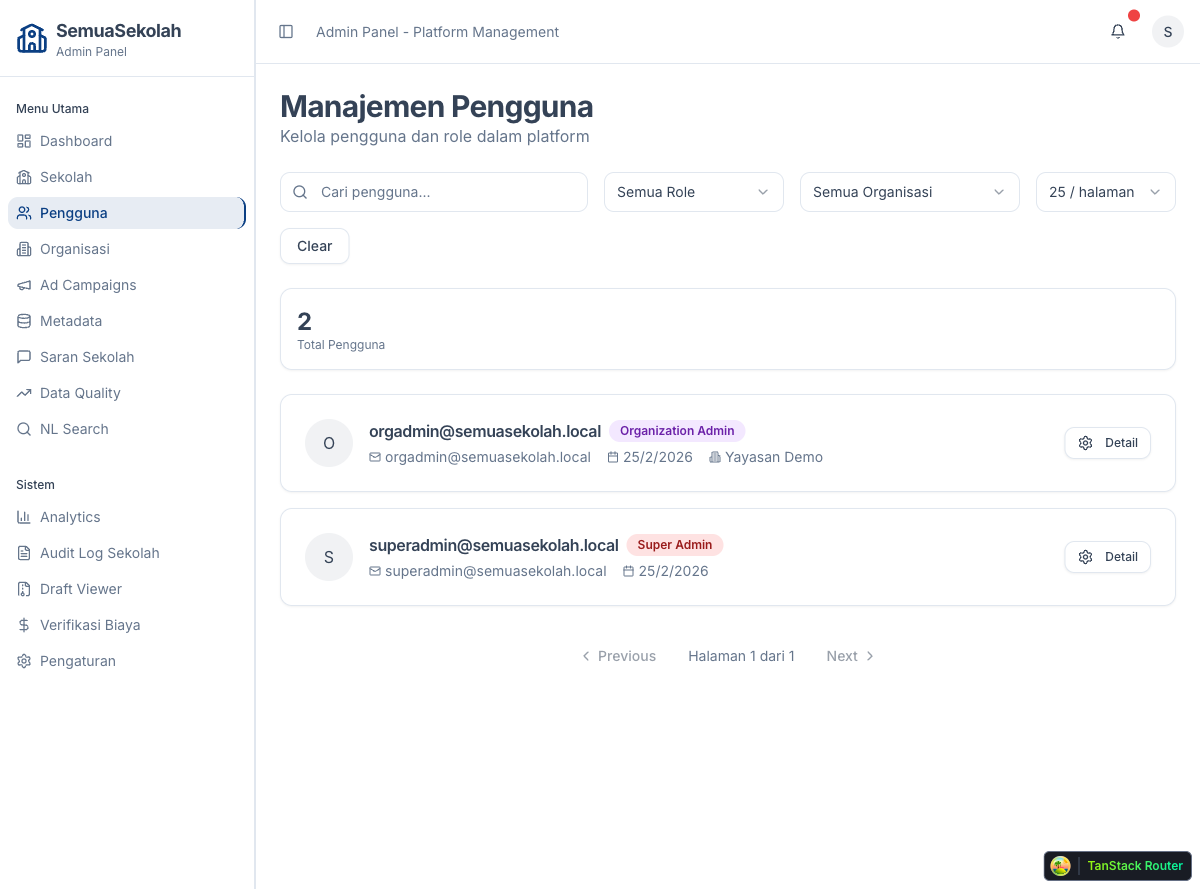
The table shows each user’s name, email, role, and organization. Use the search box to filter by name or email, or use the role filter dropdown to narrow down by role type.
2. View and edit a user
Section titled “2. View and edit a user”Click the Detail button on any row to open the user detail panel.
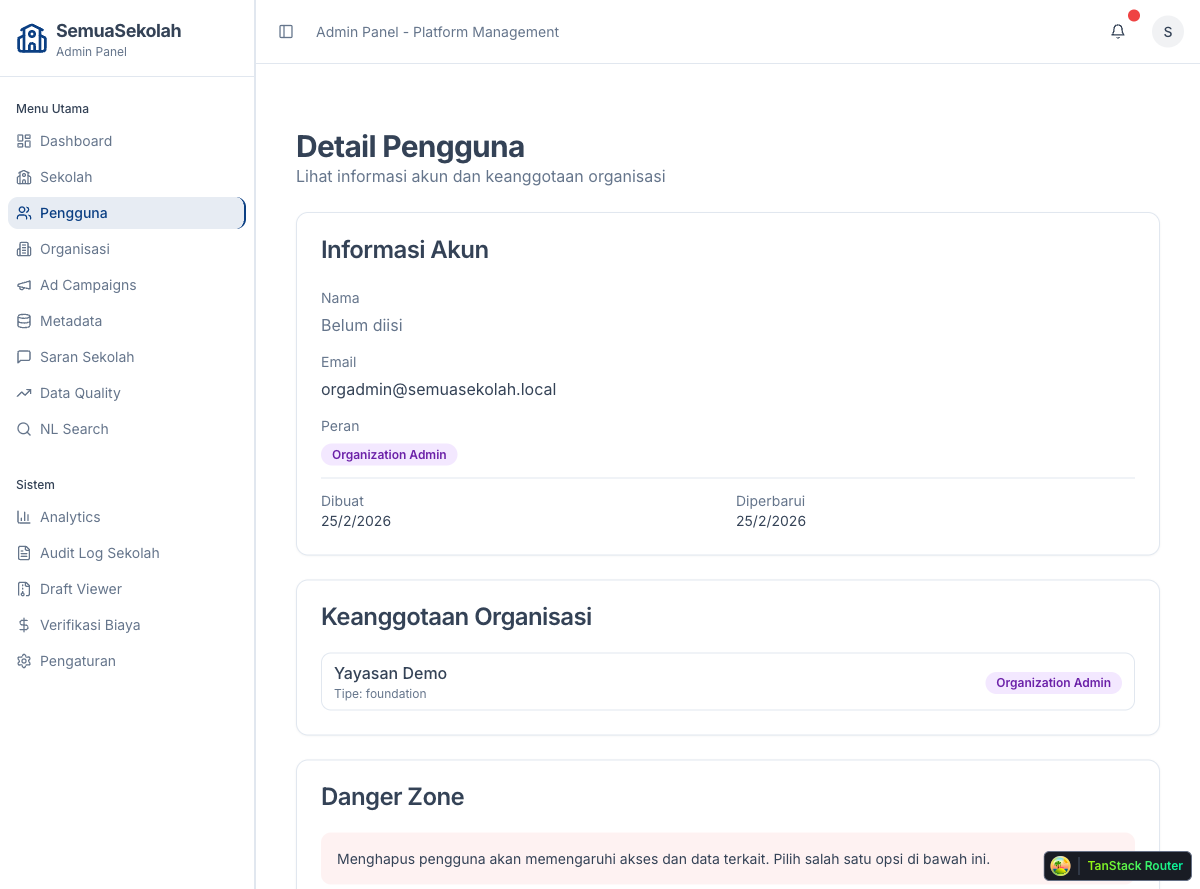
From the detail panel you can:
- See the user’s current role and organization membership
- Change their role using the Role dropdown
- Remove them from the platform if needed
Roles explained
Section titled “Roles explained”| Role | Access |
|---|---|
| Super Admin | Full access to all platform data, users, and configuration |
| Organization Admin | Can manage schools and team members within their organization |
Assign Super Admin only to trusted internal staff. For school management teams, use Organization Admin and link them to the correct organization.