How to manage metadata
Metadata controls the options in school editor dropdowns. This includes curriculum types, languages of instruction, education levels, school categories, extracurriculars, facilities, and more. Accurate metadata keeps school categorization consistent.
1. Open Metadata settings
Section titled “1. Open Metadata settings”Go to /admin and click Metadata in the left sidebar. The page opens on the Kurikulum tab by default.
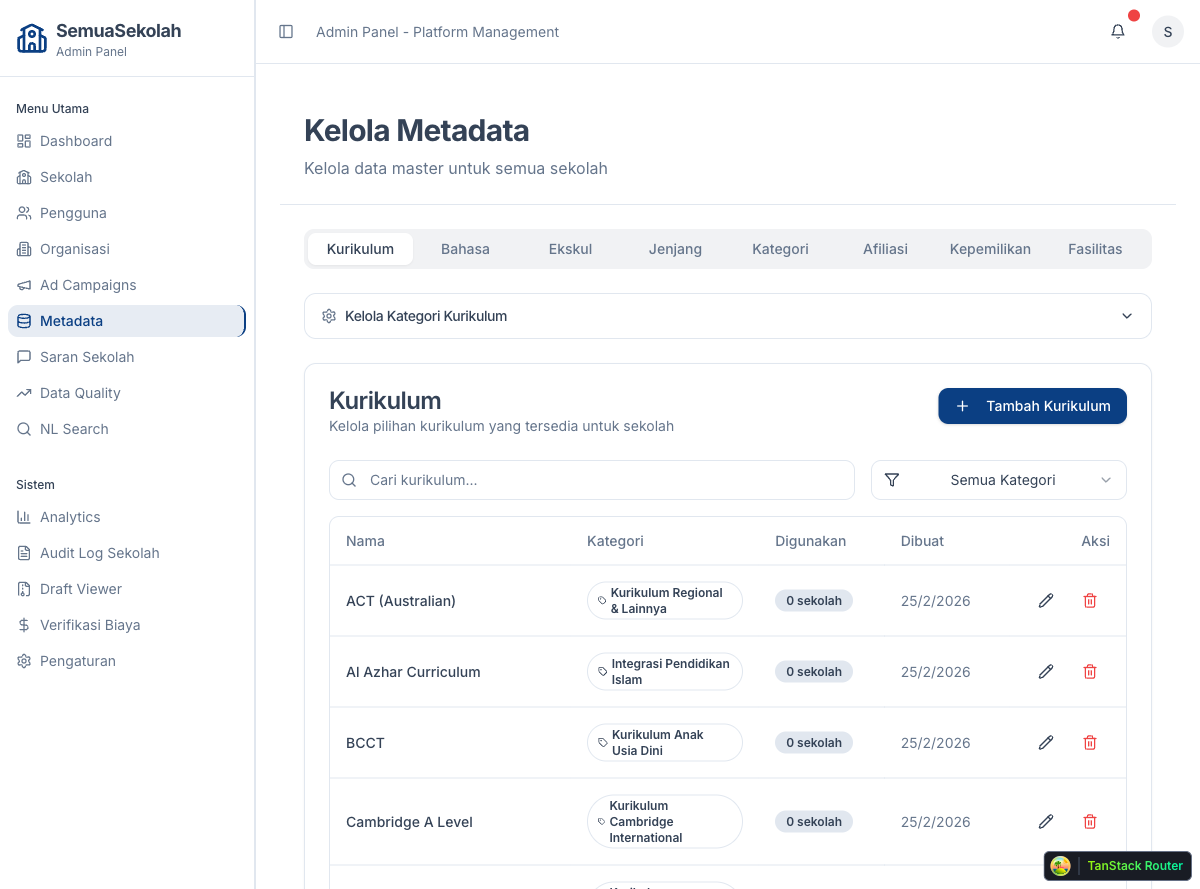
Each tab manages one category of options. The tabs available are:
- Kurikulum — curriculum types (e.g. Cambridge, IB, Nasional)
- Bahasa — languages of instruction
- Ekskul — extracurricular activity categories
- Jenjang — education levels (e.g. SD, SMP, SMA)
- Kategori — school category types
- Afiliasi — school affiliations
- Kepemilikan — ownership status types
- Fasilitas — facility categories
2. Add or edit an option
Section titled “2. Add or edit an option”Click any tab to switch categories.
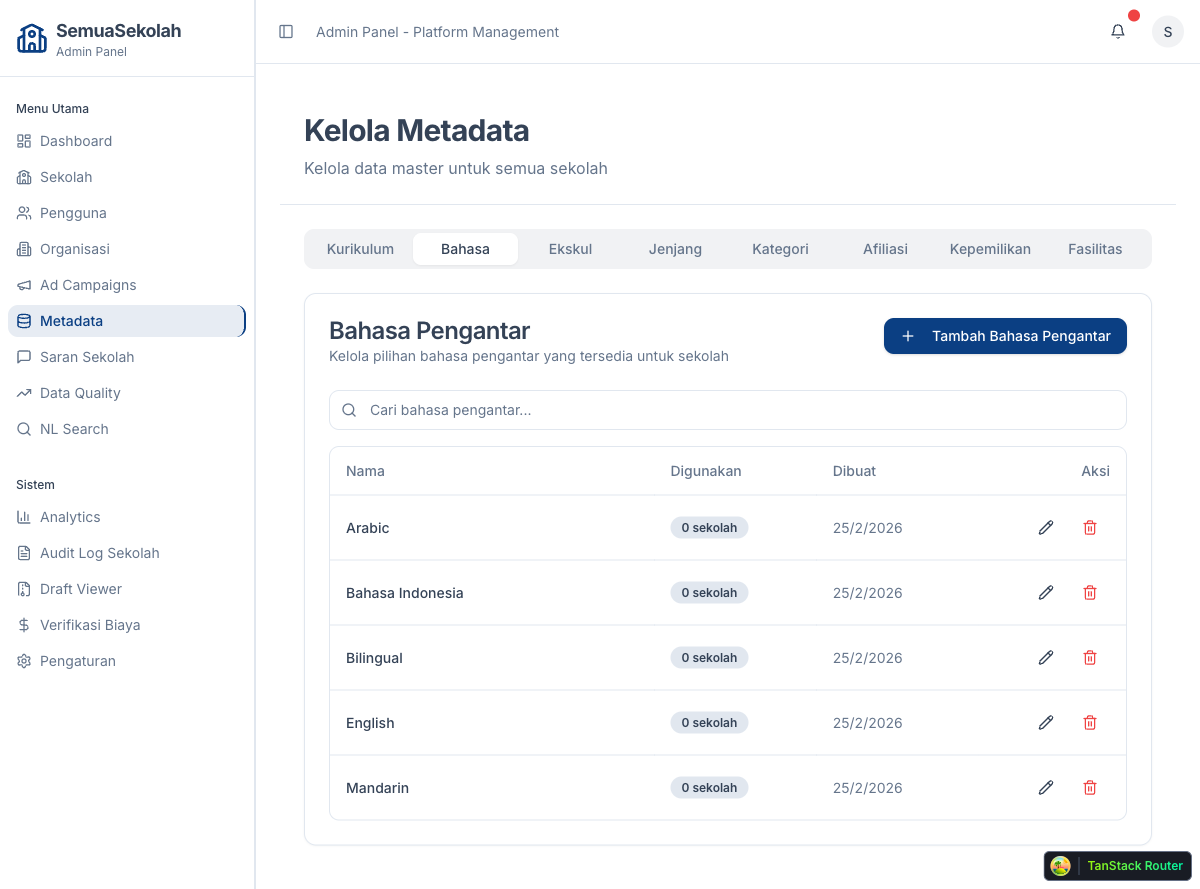
To add a new option, click Tambah and fill in the name. To edit an existing one, click the pencil icon next to it. To remove one, click the trash icon — note that you cannot delete an option that is currently assigned to any school. The system will show an error telling you how many schools use it.
- Use consistent capitalization across entries to keep dropdowns readable.
- Add new metadata options before creating schools that will need them — the editor only shows values that exist here.
- To remove a value that is in use, first update all schools that reference it, then delete it.