How to manage your organization's schools
As an Organization Admin you can view and edit all schools under your organization. Verification is done by Super Admins, but you can keep the school’s information current.
1. Open your dashboard
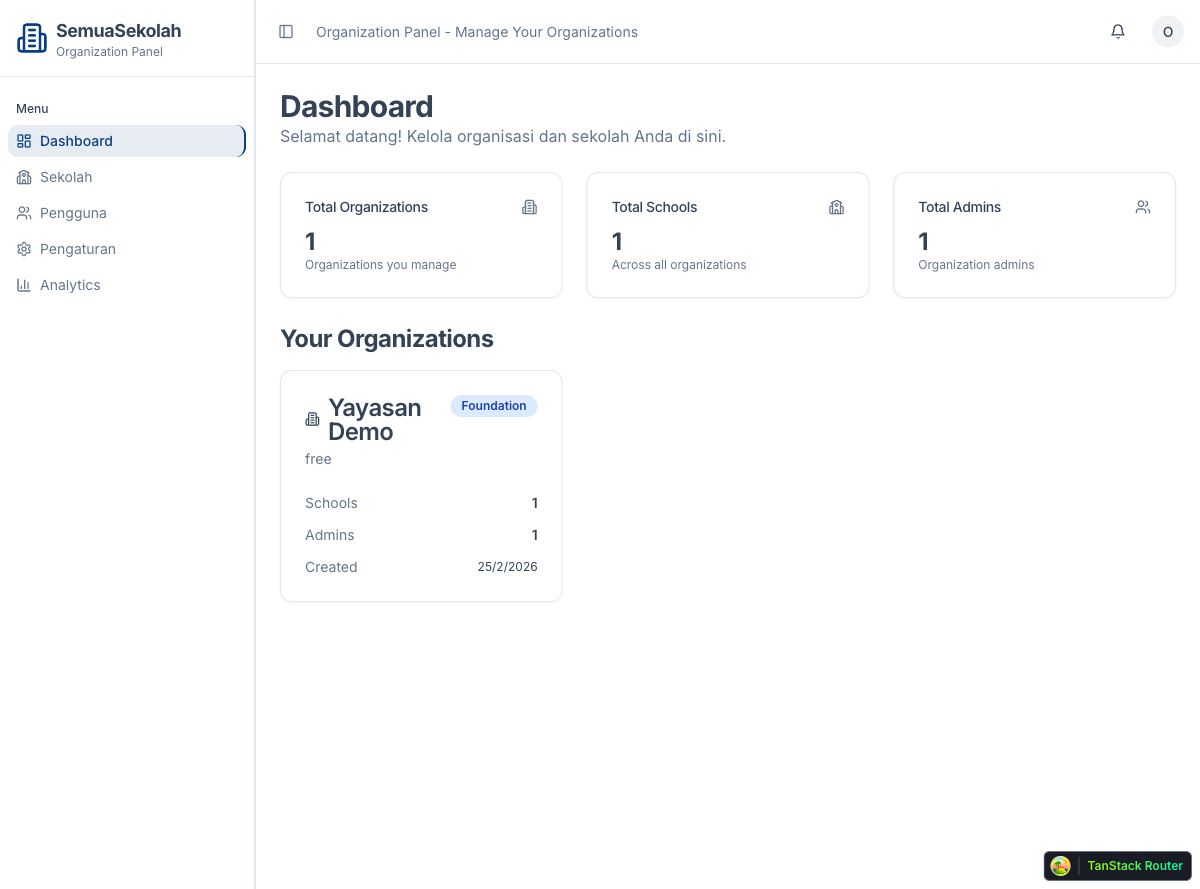
Section titled “1. Open your dashboard”Log in and go to /organization. The dashboard shows a summary: total organizations you manage, total schools, and total admins.
2. Open the Schools list
Section titled “2. Open the Schools list”Click Sekolah in the left sidebar to see all schools in your organization.
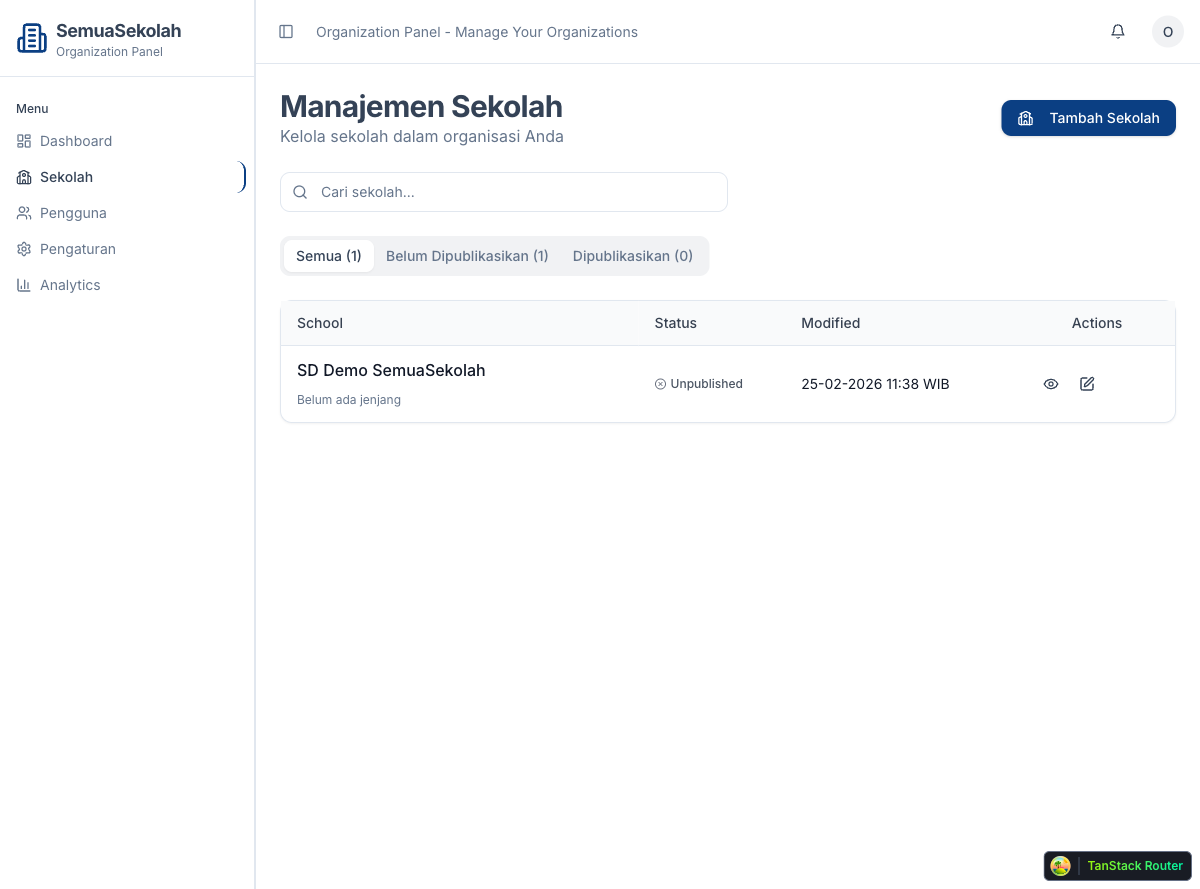
The table shows each school’s name, publication status, and last modified date. Use the tabs at the top to filter by status:
- Semua — all schools
- Belum Dipublikasikan — schools not yet verified
- Dipublikasikan — schools verified by a Super Admin
Use the search box to find a school by name.
3. Edit a school
Section titled “3. Edit a school”Click the pencil icon in the Actions column to open the school editor.
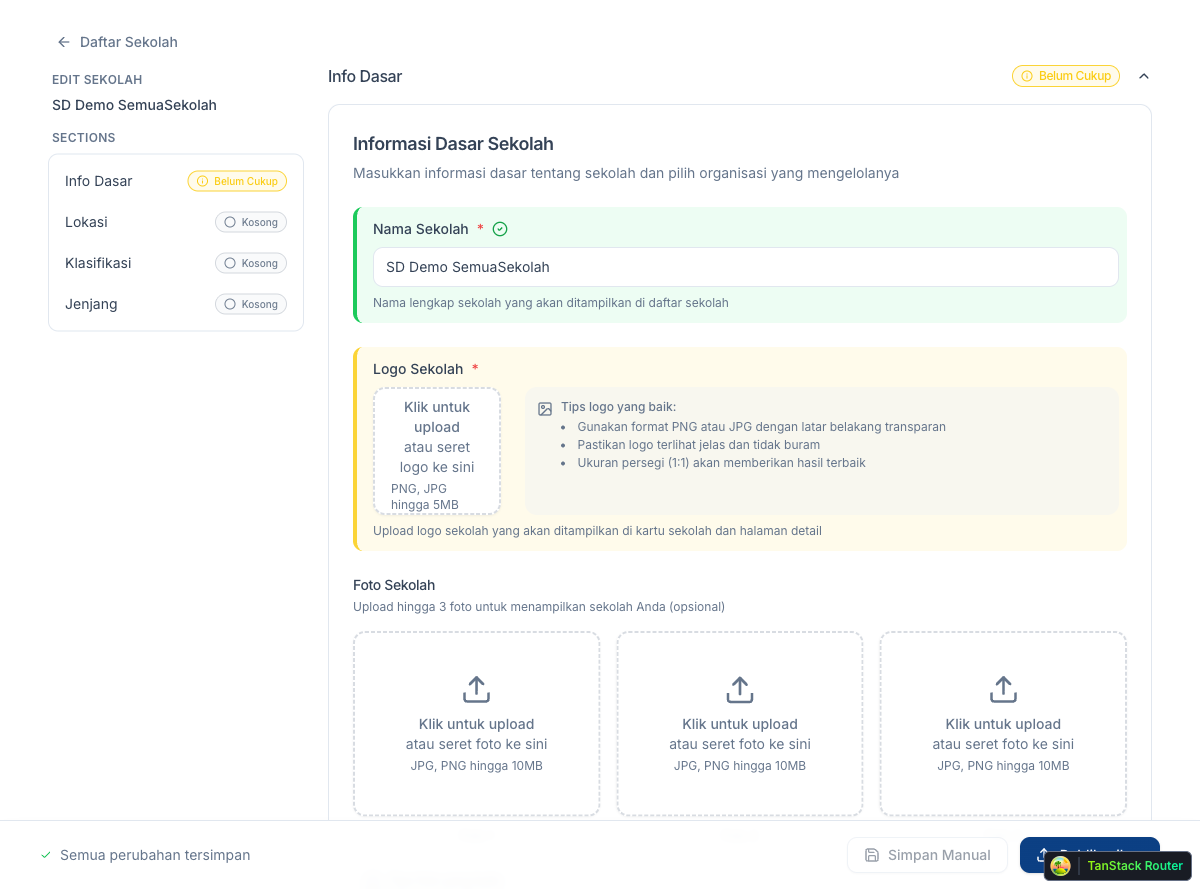
The editor has four sections in the left panel:
- Info Dasar: name, logo, photos, description, contact details
- Lokasi: address and province
- Klasifikasi: school category, affiliation, and ownership type
- Jenjang: education level(s)
Fill in or update each section. Changes save automatically; “Semua perubahan tersimpan” appears at the bottom when the data is saved.
Once all sections are complete, contact a Super Admin to review and verify the school. Verified schools get a verified badge and rank higher in search results.